Your moments.All worth keeping.
Import a ticket PDF or photo, make it your own and find it again in your collection.
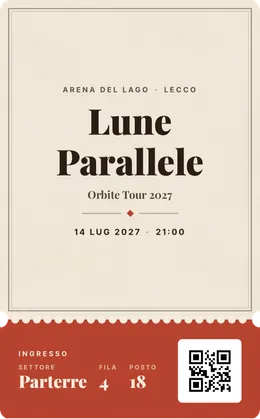
Explore the styles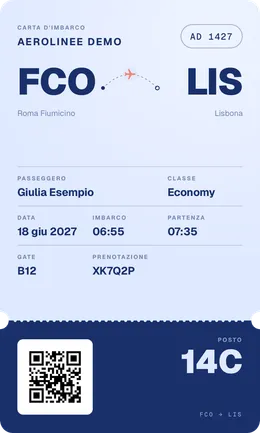
Your next memory.
- Concerts
- Travel
- Cinema
- Theatre
- Sport
Hosting free events? Try the Box office, now in beta.
Design the ticket, share a booking link and check QR codes at the door with the app. No fees. You can already send a request.
From attachment to memory.
Import your ticket. Check the details. Choose how to remember it.
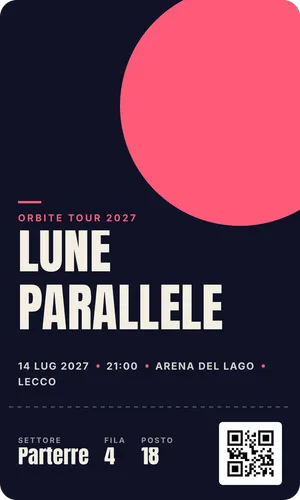
LUNE
PARALLELE
ORBITE TOUR 2027
- Date
- 14.07.2027
- Time
- 21:00
- Venue
- Arena del Lago
Lecco - Seat
- Parterre · 4 · 18
lune-parallele.pdf
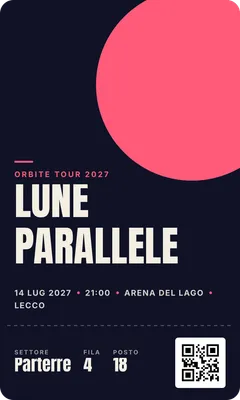
Import
Open a PDF, a screenshot, an email or even just the QR code.
Check
The text is read on your phone: boarding passes and concert tickets are recognised. Check the fields before saving.
Personalise
Choose a style, colours and fonts. The issuer's original is kept separately: the design does not create a new entry ticket.
From ticket to memory.
Before the event you find it in a moment; afterwards it becomes part of your collection.
Search for an event
Type the name of the artist or event: you get the photo and, for upcoming dates, the date and venue too, already filled in on the ticket. If the search finds nothing, you create it by hand.
Your memories
Find past tickets year by year, plus the anniversaries of the day. You can add a note and a memory photo to every ticket.
Your year
The year recap counts your saved tickets by type and the cities, in an image you can share. It contains no titles, venues or codes.
Ten families of styles, one for every occasion.
66 styles for concerts, theatre, cinema, sport and travel: every family has its own palettes and typefaces.
- Poster
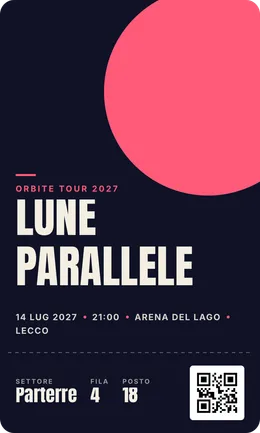
- Paper
- Brutal
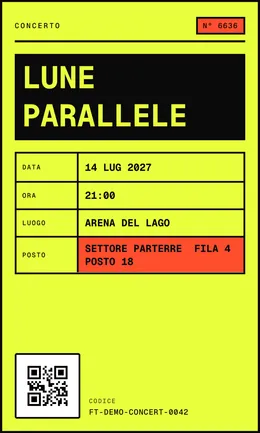
- Holographic
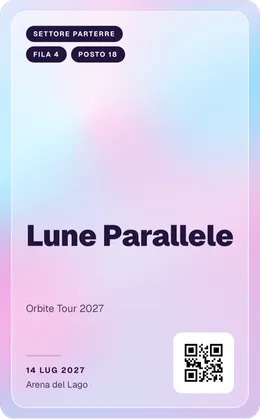
- Swiss

- Travel
- Film

- Japan

- Receipt
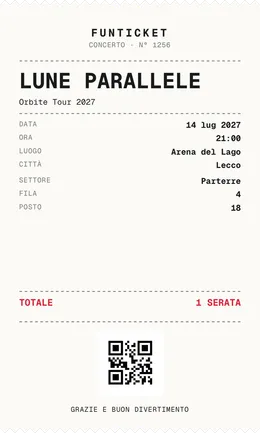
- Wristband

Seasonal editions
Some styles appear only for a while, then go back to the archive.
- Christmas 2026Coming soon1Dec
- New Year's Eve 2026Coming soon15Dec
- Sanremo 2027Coming soon1Feb
For every experience you want to remember.
Concerts
Keep the original ticket and create a design that remembers the night.
Travel
Import the PDF or photo of your boarding pass and check the details before saving it.
Shows
Find theatre and cinema in your collection, even after the event.
Personalisation
Choose style, colours and typography, with the original always kept apart from the design.
Invite a friend, unlock styles money can't buy.
Every friend who joins FunTicket brings you closer to an exclusive style you can use on any of your tickets.
- 1 friend
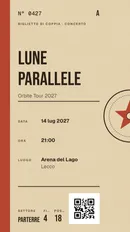
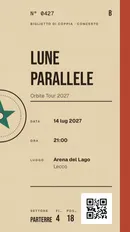
Couple
A ticket in two halves with the same serial number: the emblem is only complete when yours sits next to your friend's. You both get it.
- 3 friends
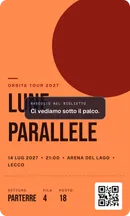
Reveal
Cover a ticket with a layer you rub to reveal, and hide a message underneath. After a few seconds it covers itself again.
- 10 friends
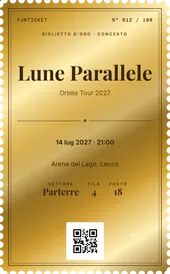
Gold
Numbered gold foil, reserved for 100 people in total, each with their own number. Once the places are gone, they're gone.
How it works
- An invite counts once your friend has an account and has synced at least one ticket.
- Each account can accept only one invite.
- Whoever accepts gets the Couple style straight away.
- Unlocked styles stay yours.
Reliable, and yours.
How we handle your tickets, plainly.
- Ticket text is read on your phone: we don't send it to our servers to recognise it
- The original document stays separate from the design and you can open it any time
- Saved tickets open without a connection
- With an account you get a backup and find your collection on another phone
- The app shows which changes are already saved online
- You can try it with one ticket without signing up
Keep the issuer’s ticket and check its conditions of use. A personalized design does not create a new right of admission.
Start with one local ticket in guest mode. With an account, synchronization uploads tickets and assets to FunTicket services for backup and restore.
Frequently asked questions
Is it free?
Yes. FunTicket is free on iPhone and Android. Without an account you can save one ticket on your phone; with a free account you keep your whole collection and get a backup.
Which tickets does it work with?
PDFs, photos and screenshots of tickets from any issuer: concerts, theatre, cinema, sport, boarding passes. You can also scan a QR code or create a ticket by hand. Recognition depends on format and quality: check the date, place and code before saving.
Can I use the customised ticket to get in?
No. The design is a keepsake, not a new entry ticket. At the door use the original ticket, which FunTicket keeps separately and lets you open any time. Always follow the issuer's conditions.
Does it work offline?
Yes, for tickets you've already saved and their originals. You need a connection to sign in, search events and back up. Ticket text is read on your phone, without sending it to our servers.
Which phones does it run on?
iPhone with iOS 16.4 or later, from the App Store, and Android from Google Play.
I host free events: can I use FunTicket?
Yes, with the Box office, now in beta: design the ticket, share a booking link and check QR codes at the door. You can already send a request from the Organize page.